
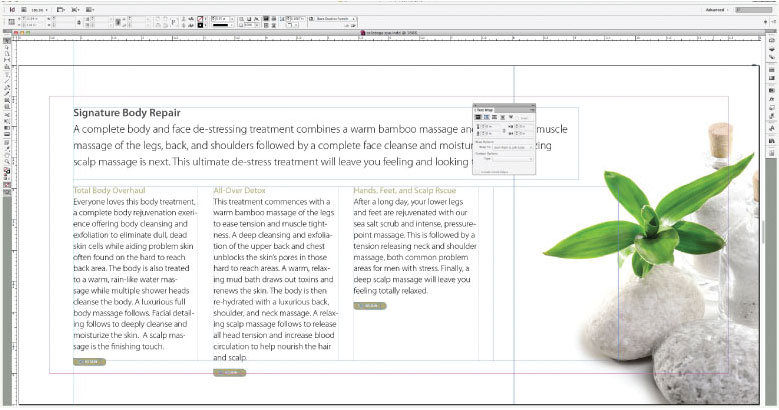
When Ottawa design work needs to look right, InDesign is the tool professionals reach for. Ads, brochures, newsletters, reports, eBooks — if it requires a polished layout, InDesign handles it. Our Ottawa courses range from a one-day quickstart to a complete multi-day immersion, so there’s a right entry point for every goal.

This course has changed the way I look at my publications and the design considerations that go into them. I never thought I would be doing work this good. The personalized attention really helped.
Need to make quick InDesign edits -- swap an image, adjust some text -- without going through a full course? This Ottawa session is exactly that. Quickstart gives you the practical minimum to handle common tasks without getting lost, and a solid foundation if you decide to go deeper later.
This is the InDesign course most Ottawa professionals need. Starting from scratch, you'll learn everything required to create ads, brochures, newsletters, and product sheets that look genuinely professional. Our most popular InDesign course -- people walk out amazed at what they produced in just a few days.
Three days, one complete InDesign skillset. This Ottawa intensive takes you from the basics through the most advanced capabilities, structured to build real confidence at every stage. If you can commit the time, it's the most efficient path from beginner to capable, independent InDesign user.
eBooks outsell print, cost less to produce, and support rich media that print never could. This Ottawa course teaches everything you need to create polished digital publications in InDesign -- from layout fundamentals through the interactive elements that make eBooks genuinely compelling to read.
Already working in InDesign and ready to go further? This Ottawa course targets the advanced features that separate proficient users from expert ones. The content can be adjusted to fit what's actually relevant to the people in the room -- no sitting through material that doesn't apply to you.
Creating accessible PDFs from InDesign has gotten easier -- but there are still places where things go wrong. This Ottawa course walks you through the essential steps in both InDesign and Acrobat or Foxit, minimizing errors and producing documents that genuinely work for everyone. Less guesswork, more confidence.
This course teaches you how to use InDesign to create brochures, flyers, reports, magazines, and digital publications. You’ll learn how to combine text, images, and graphics into polished documents ready for print or online distribution.
These courses are delivered online and they are hands-on throughout. A live instructor guides you step by step, demonstrating each feature and then letting you practice right away.
Yes. You’ll receive a digital quick-reference guide and a list of shortcuts. You are also eligible for free and unlimited after-class support
Anyone who needs to produce professional layouts: marketing staff, communications specialists, designers, educators, and business professionals. No prior design experience is required.
We offer flexible formats: the 2-day essentials class is the most popular, but some groups prefer half-day workshops.
We recommend Adobe InDesign (the Creative Cloud version), but we can adapt training to other versions as needed.
No. Each course starts with the essentials and builds to more advanced features like master pages, styles, and exporting.
Yes. We can tailor examples and exercises to your industry and document types — such as reports, newsletters, marketing materials, or training manuals.
You’ll gain the confidence and skills to design professional, visually appealing documents that make a strong impression — saving time and reducing reliance on external designers.
At Training Ottawa, we help professionals build the skills that make work easier, faster, and more impactful. Our courses combine expert instruction with real-world projects so you can immediately apply what you learn.
Whether you’re creating stunning designs, managing complex projects, analyzing data, or producing compelling content, our goal is simple: to help you work smarter, not harder.
We are proud to be a Canadian company.

You can expect your instructor to be helpful and engaging. Your Adobe InDesign training will be hands-on, right from the start, and your day lasts about 7 hours including breaks and lunch. You will get lots of practice with the basics so you can be confident diving into projects back in the office. Your Adobe InDesign training is structured so that you understand and remember the lessons learned
You will work on practical exercises—learning new skills and professional techniques that you will use in your own real-world projects. You will meet attendees who are like-minded people pursuing similar goals. You can expect lively Q&As. We hope you’ll ask all the questions you want. Please let us know before the event if you have any special requests or challenges.
» Cancellations made more than 5 days before a course date qualify for a full refund minus a $35 administration fee per student.
» Cancellations made less than 5 days before a course do not qualify for a refund but the class may be rescheduled.
» Cancellations made within 48 hours of the start time are not eligible for a refund and may not be rescheduled.
» We are not able to offer refunds or rescheduling for no-shows or uncompleted courses.
» There is no charge for rescheduling when you inform us at least 3 days before the course.
» An administration fee of $35 per person is charged when rescheduling less than 3 days before a course.
» Student substitutions are free. If you cannot take a course maybe your colleague can. Just let us know.
» It is rare that classes do not run as scheduled but we do reserve the right to reschedule previously confirmed classes.


