
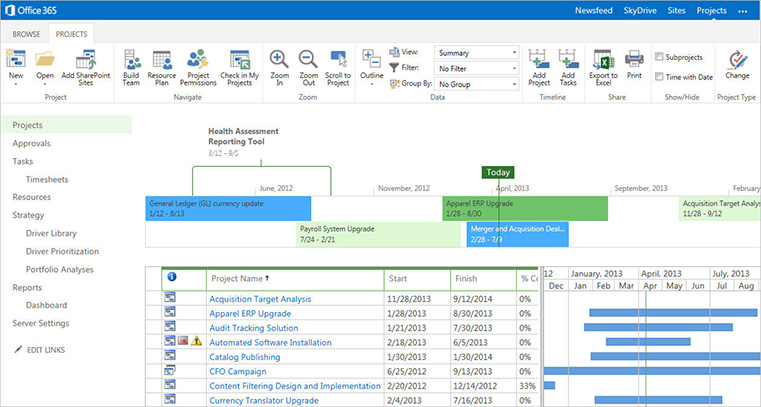
Ottawa project managers who use Microsoft Project properly plan with precision and track with clarity. Whether you’re managing small internal initiatives or complex multi-team projects, our courses cover everything from initial setup through advanced resource management and reporting to stakeholders.

This MS Project course was very practical. We built real project plans, set timelines, and tracked progress in class. The hands-on approach made it easy to apply the skills in my own projects the very next day.
The right tools make project management dramatically easier. This Ottawa hands-on course shows you how to use Microsoft Project to plan and track work at any scale -- timelines, task dependencies, resource assignment, and conflict resolution before they become problems. Practical and immediately applicable.
For Ottawa Project users ready for greater complexity. This one-day seminar covers multi-project management, resource sharing across projects, progress tracking, and stakeholder reporting -- the skills required when projects are bigger and the stakes are higher. Focused, practical, built around real scenarios.
This course is ideal for project managers, team leaders, coordinators, and anyone responsible for planning, scheduling, or tracking projects.
Yes! The course is highly interactive. You’ll practice building and managing projects step by step using MS Project, with guidance and feedback from the instructor.
Absolutely. We can tailor the training to your organization’s project management processes, templates, and reporting needs.
Yes, the training is designed for both new users and those who want to refresh or deepen their MS Project skills.
No prior experience with MS Project is required, though familiarity with project management concepts is helpful.
The standard course runs 2 days, but it can be customized to your organization’s needs. We also offer half-day modules for focused learning
Yes. All participants receive a Certificate of Completion at the end of the training.
Our instructor-led training is interactive, practical, and tailored to real-world project challenges. You’ll get hands-on experience and immediate answers to your questions — something self-paced tutorials can’t provide.
• Setting up and managing projects in MS Project
• Creating task lists, dependencies, and milestones
• Assigning resources and managing workloads
• Tracking project progress and updating schedules
• Using views, filters, and reports for better insights
• Best practices for delivering projects on time and within budget
Yes, participants should have Microsoft Project installed on their computer. This course is designed for the full desktop version and the hybrid desktop/web version.
You’ll learn to plan projects more effectively, allocate resources wisely, identify risks early, and report on progress with confidence.
At Training Ottawa, we help professionals build the skills that make work easier, faster, and more impactful. Our courses combine expert instruction with real-world projects so you can immediately apply what you learn.
Whether you’re creating stunning designs, managing complex projects, analyzing data, or producing compelling content, our goal is simple: to help you work smarter, not harder.
We are proud to be a Canadian company.

You can expect your instructor to be helpful and engaging. Your Microsoft Project training will be hands-on, right from the start, and your day lasts about 7 hours including breaks and lunch. You will get lots of practice with the basics so you can be confident diving into projects back in the office. Your Microsoft Project training is structured so that you understand and remember the lessons learned.
You will work on practical exercises—learning new skills and professional techniques that you will use in your own real-world projects. You will meet attendees who are like-minded people pursuing similar goals. You can expect lively Q&As. We hope you’ll ask all the questions you want. Please let us know before the event if you have any special requests or challenges.
» Cancellations made more than 5 days before a course date qualify for a full refund minus a $35 administration fee per student.
» Cancellations made less than 5 days before a course do not qualify for a refund but the class may be rescheduled.
» Cancellations made within 48 hours of the start time are not eligible for a refund and may not be rescheduled.
» We are not able to offer refunds or rescheduling for no-shows or uncompleted courses.
» There is no charge for rescheduling when you inform us at least 3 days before the course.
» An administration fee of $35 per person is charged when rescheduling less than 3 days before a course.
» Student substitutions are free. If you cannot take a course maybe your colleague can. Just let us know.
» It is rare that classes do not run as scheduled but we do reserve the right to reschedule previously confirmed classes.


