
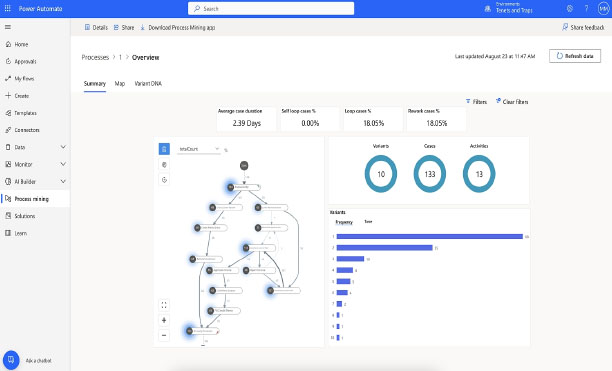
Microsoft Power Automate automates tasks across various applications and services. Power Automate helps streamline your workflow by creating automated connections between different apps and services. Simple tasks you once did manually become automatic.
And flawless.

What a relief! I learned how to save myself hours every week. Creating flows that handle repetitive tasks wasn't hard at all.
If you are looking to streamline repetitive tasks and processes, you can use Microsoft Power Automate to automate actions across various apps and online services. This one-day course teaches you how to harness the true power of automation. You will learn to build automated approval systems, data connections, and other business processes using templates and logic conditions to save time and increase your productivity.
Microsoft Power Automate is a cloud-based tool that allows you to automate repetitive tasks, connect apps and services, and streamline workflows—without needing advanced coding skills.
You’ll learn how to:
• Create automated flows to handle repetitive tasks
• Connect Power Automate with Microsoft 365 apps
• Use templates and triggers to build workflows quickly
• Manage approvals and notifications
• Monitor and troubleshoot flows
• Apply best practices for secure and efficient automation
Absolutely. We explore how Power Automate integrates with Microsoft 365 apps and also how it connects to third-party services like Dropbox, Twitter, and Google Drive.
Yes. Participants will receive a certificate to recognize their achievement.
This course is ideal for professionals who want to save time, reduce manual work, and improve productivity. It’s especially useful for administrators, business analysts, team leads, and anyone working with Microsoft 365.
Training can be delivered in half-day or full-day sessions, depending on the level of detail and hands-on practice required.
Yes. We can tailor the content to focus on automations relevant to your team’s daily processes and workflows.
No. Power Automate is designed for both technical and non-technical users. Our training covers everything from beginner-friendly flows to more advanced automation scenarios.
Yes. Participants will build their own automated workflows during the course, ensuring they leave with practical, applicable skills.
• Save hours of repetitive work each week
• Standardize and improve business processes
• Increase collaboration across apps and teams
• Empower your organization to work smarter, not harder
At Training Ottawa, we help professionals build the skills that make work easier, faster, and more impactful. Our courses combine expert instruction with real-world projects so you can immediately apply what you learn.
Whether you’re creating stunning designs, managing complex projects, analyzing data, or producing compelling content, our goal is simple: to help you work smarter, not harder.
We are proud to be a Canadian company.

You can expect your instructor to be helpful and engaging. Your Microsoft Power Automate training will be hands-on, right from the start, and your day lasts about 7 hours including breaks and lunch. You will get lots of practice with the basics so you can be confident diving into projects back in the office. Your Microsoft Power Automate training is structured so that you understand and remember the lessons learned.
You will work on practical exercises—learning new skills and professional techniques that you will use in your own real-world projects. You will meet attendees who are like-minded people pursuing similar goals. You can expect lively Q&As. We hope you’ll ask all the questions you want. Please let us know before the event if you have any special requests or challenges.
» Cancellations made within 48 hours of the start time are not eligible for a refund and may not be rescheduled.
» We are not able to offer refunds or rescheduling for no-shows or uncompleted courses.
» There is no charge for rescheduling when you inform us at least 3 days before the course.
» An administration fee of $35 per person is charged when rescheduling less than 3 days before a course.
» Student substitutions are free. If you cannot take a course maybe your colleague can. Just let us know.
» It is rare that classes do not run as scheduled but we do reserve the right to reschedule previously confirmed classes.


